WordPress security without having to be an expert
We have made the most important security choices for you, and give you simple switches for the rest. You can always see what is turned on, and what we have found.
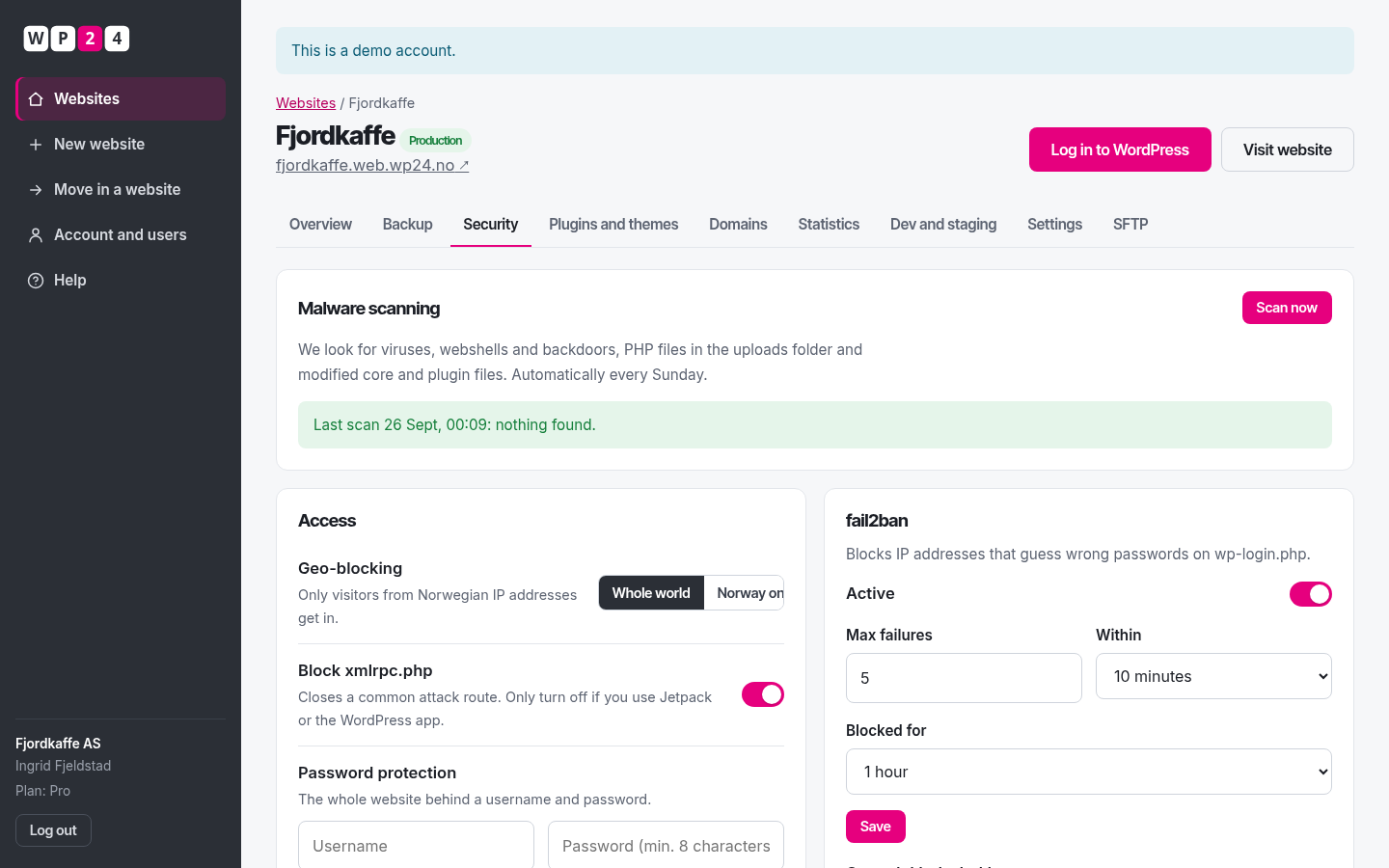
Malware scanning
We scan every site weekly, and you can scan whenever you like. We find known viruses, webshells, backdoors and PHP files that don’t belong in the uploads folder.
Verification against official checksums
We compare WordPress core and plugins from WordPress.org with the official files. If anything has changed, you’ll know.
Geo-blocking per site
Turn on “Norway only”, and visitors from other countries get a clear message instead of the site.
fail2ban with your own limits
The default is 5 failures in 10 minutes and a 1-hour block. Tighten or relax the limits, and see which addresses are blocked.
Password protection
Lock the site behind a username and password while you build, or for internal pages. Dev and staging are locked by default.
Hardened from day one
PHP is blocked in uploads, file editing in wp-admin is disabled, xmlrpc is closed, and security headers and HTTPS are on for everyone.
Security questions
What is a webshell?
A webshell is a hidden file that gives an attacker control of your website – often planted through a vulnerable plugin. We look for known webshells and suspicious code, and show you exactly which file is affected.
What does geo-blocking do?
With geo-blocking, only visitors from Norwegian IP addresses can reach the site. It stops a lot of automated attack traffic and suits sites that only have Norwegian users.
What is fail2ban?
fail2ban watches login attempts. If someone guesses the wrong password too many times, their IP address is blocked. You decide the limit and how long the block lasts for each site.
Are websites isolated from each other?
Yes. Every site runs as its own user, with its own PHP process, its own database and access only to its own files.
Up and running in under a minute
Sign up with your name, email and company – your password arrives by email. WordPress installs with one click.