Backups that are there when you need them
A site can be hacked, an update can go wrong, and someone can delete the wrong page. With WP24 you are one click away from being back.
- Daily backup of files and database
- Backup before every update and restore
- Encrypted, deduplicated and stored in two places in Norway
- 30 daily + 12 monthly backups
Why host-level backups matter
Many WordPress sites rely on a backup plugin, but a plugin runs inside the very site it is supposed to protect. If the site is hacked or the database is corrupted, the backup can be affected too. WP24 backs up from the outside, at server level, and stores the backups somewhere other than the site itself.
How it works
Every night we export the database and take an encrypted, deduplicated copy of all files. Only changes are stored again, so backups are fast and compact. Before WordPress, plugins or themes are updated, we take an extra backup. If the site does not respond after the update, we roll back automatically.
Restore it yourself
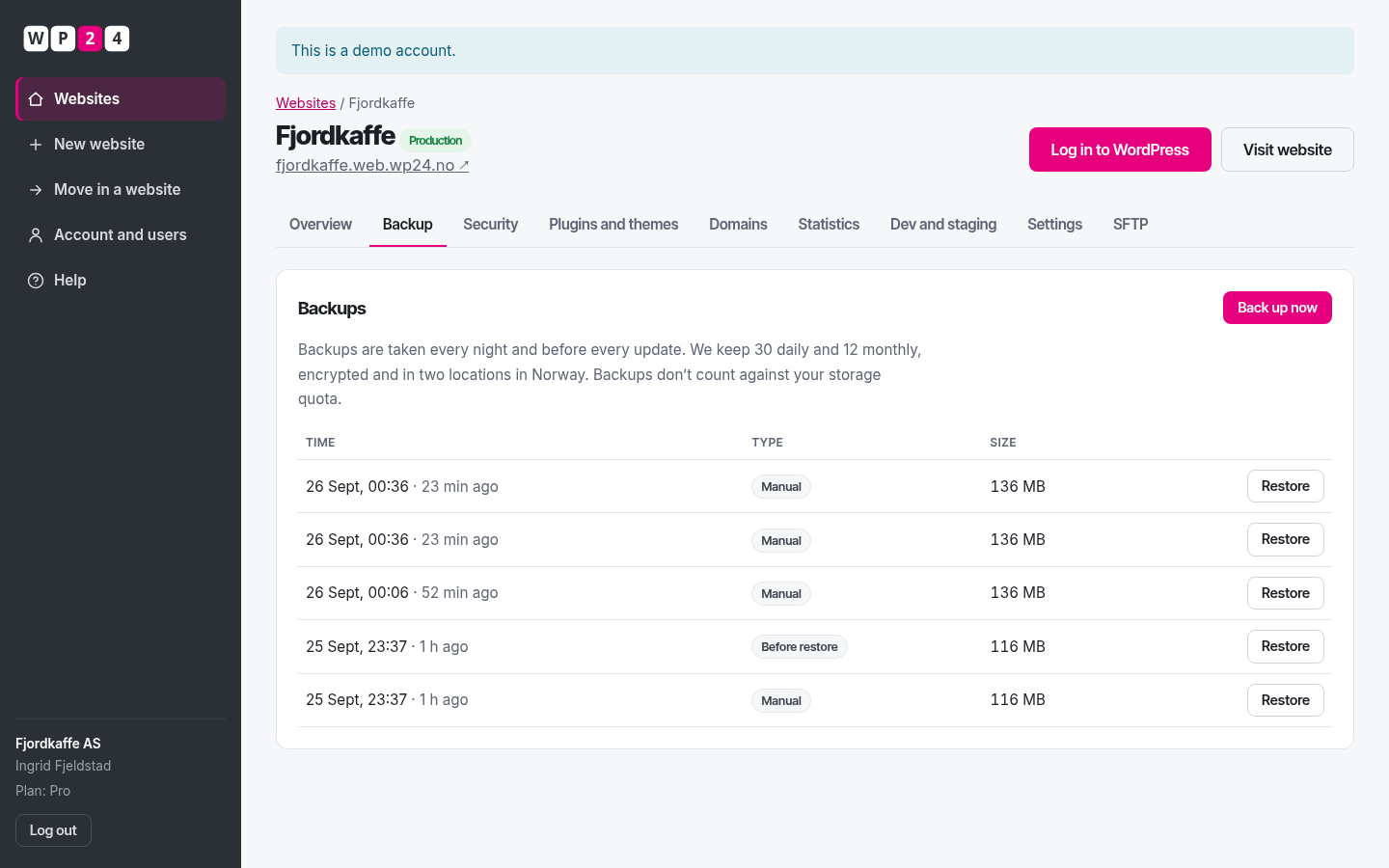
Choose a backup in the control panel and press “Restore”. We take a new backup of the site as it is right now before restoring, so you can undo if you picked the wrong point in time.
Questions and answers
What is backed up?
Every file in WordPress – core, plugins, themes and uploads – and the complete database. Caches and logs are left out.
How often are backups taken?
Every night, and also automatically before every update and before every restore. You can also take a backup yourself whenever you like.
How long are backups kept?
30 daily and 12 monthly backups. Backups are deduplicated, so they take little space and do not count against your storage quota.
Where are backups stored?
Encrypted on separate storage in our data centre, and also in a second Norwegian data centre over a private fibre link. No backup ever leaves Norway.
How long does a restore take?
For a typical website, anything from a few seconds to a couple of minutes. You can follow the progress in the control panel.
Up and running in under a minute
Sign up with your name, email and company – your password arrives by email. WordPress installs with one click.